Did My Order Go Through? How to Check After a WEEX API or AI Trading Tool Timeout

 Prefer us on Google
TL;DR
- Don't retry yet. First find the original order, because the first one may be open, filled or partly filled.
- Start with order history. An order that filled or was canceled may no longer appear under open orders.
- Read the status and the filled quantity together. An order marked CANCELED may still have fills from before the cancellation.
- Give AI a comparison task: match the order you intended to place with the exchange record, show any difference, and flag what it cannot verify. You can do this with a redacted record, without giving the tool permission to trade.
What Can Happen When a Request Times Out?
- The request never reached WEEX. No matching order appears in order history. Confirm that, then decide whether you still want the order.
- WEEX accepted the order and it is still open. The status shows the order as unfilled or partly filled, with some quantity still available to trade. Don't send a duplicate. Decide whether to wait or cancel the remainder.
- The order filled or was canceled. Read the filled quantity before deciding whether you still need another order. A canceled order can still contain earlier fills.
What Should You Do After a Timeout, Step by Step?
- Don't retry the order yet. A second request is the step most likely to create a duplicate.
- Open order history, not only open orders. Open orders show what is still active, and history shows what has already finished.
- Find the original order. Use the exchange order ID or your tool's client order ID if you have one. Otherwise, narrow the search by trading pair, buy or sell side, submission time and quantity.
- Read the status and filled quantity together. Neither tells the whole story on its own.
- If you can't identify the order, treat the result as unknown. Don't guess. If you placed several similar orders and can't tell which one matches, keep the result marked as unknown and contact WEEX Support before placing another.
Where Should You Look if the Order Confirmation Is Missing?
status), original quantity (origQty) and filled quantity (executedQty). [待确认: confirm the field names against the current documentation.]What Do the Order Statuses Mean?
Status | What it means | What to check |
CANCELED | The order is no longer active | Filled quantity, because fills before the cancellation stay |
PARTIALLY_FILLED | Part of the order has traded | The remaining quantity, which is still open and can fill further |
What if the Order Says “Canceled,” but Some of It Filled?
Field | Value |
Side | Buy |
Status | CANCELED |
Original quantity (origQty) | 0.010 BTC |
Filled quantity (executedQty) | 0.004 BTC |
Unfilled and canceled | 0.006 BTC |
Field | Value |
Side | Buy |
Status | PARTIALLY_FILLED |
Original quantity | 0.010 BTC |
Filled quantity | 0.004 BTC |
Still open | 0.006 BTC |
How Can You Avoid Placing a Duplicate Order?
- Look up before you resend. Check the original order first, every time.
- Use a client order ID. If your tool assigns one, you can find the order later even when the exchange's confirmation never reached you.
- Prefer manual review over automatic retries for uncertain results. This is the approach WEEX Agent Skills takes in its automatic execution workflow (see below).
- Keep timestamps and the time zone in your tool's log. They make the order easier to find, and they are what WEEX Support will ask for.
What Does AI Add if You Can Already Check Order History?
How Does WEEX Agent Skills Handle an Uncertain Order Result?
What if You Still Can't Identify the Order?
FAQ
What does a trading API timeout mean?
Should I retry an order after a timeout?
How do I check whether my WEEX order went through after a timeout?
Why is my order missing from open orders?
Can a canceled order still have fills?
How do I read order status and filled quantity together?
origQty) and filled quantity (executedQty).What is a client order ID, and how does it help?
How can I avoid a duplicate order when a request times out?
Does WEEX Agent Skills retry automatically after an uncertain result?
Can an AI assistant check my order safely?
What should I leave out when sharing order records with an AI tool?
What should I tell WEEX Support if I can't identify an order?
About WEEX
Follow WEEX on social media
This content is provided for general informational purposes only and doesn't constitute financial, investment, legal, or tax advice. Any events, rewards, online promotions, or related information mentioned herein should not be considered a recommendation, solicitation, or invitation to purchase, sell, trade, or otherwise deal in any crypto assets. Crypto assets are highly volatile and may result in loss. The availability of WEEX services, products, and related events may vary by region. You are responsible for ensuring that your participation is in accordance with applicable local laws and regulations.
You may also like

Fidelity Files for a Spot Chainlink ETF (FLNK): What Does It Mean for LINK's Price?
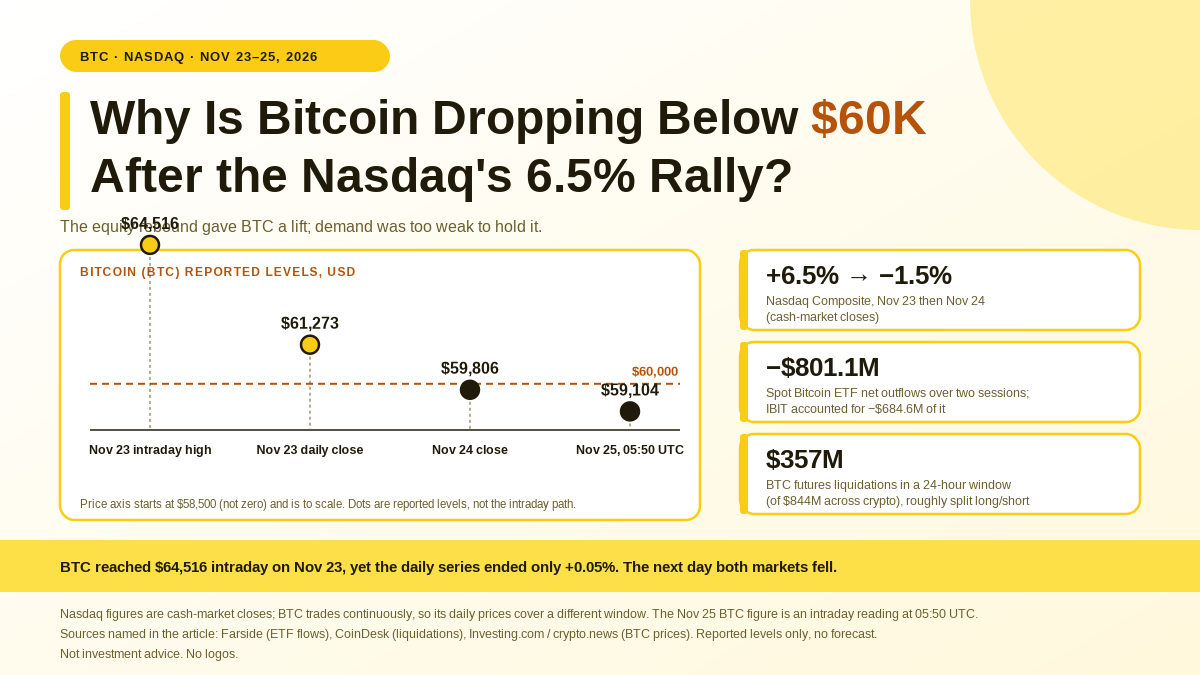
Why Is Bitcoin Dropping Below $60K After the Nasdaq’s 6.5% Rally?
Why is Bitcoin dropping below $60,000 after the Nasdaq rallied 6.5%? See what $801.1 million in ETF outflows, exchange flows, and liquidations reveal.

Fidelity Lists AAVE, LINK and UNI: How Do Crypto Trading Fees Compare?

PCE Inflation (Nov 25) Preview: What to Watch for the Fed, Stocks, Bitcoin and Gold

CFTC Allows Bitcoin and Ethereum as Operating Reserves: Will It Boost Crypto Markets?

Why Did Nvidia Stock Skyrocket 31% After Jensen Huang Was Reinstated? Can the Rally Last?

Rivian Q3 Revenue Rises 38% as R2 Leads Deliveries, but Shares Hit a 52-Week Low
Baidu Q3 2026: AI Cloud Growth Fails to Offset Ad Decline as Shares Hit a 52-Week Low

McDonald’s (MCD) Outlook: Earnings Beat and Value-Menu Strategy

WEEX Futures Liquidations Explained: Mark Price, Margin Tiers and Chart Wicks
Does WEEX really have a 1,000 BTC Protection Fund?

Anthropic IPO Hits Record $81.34B: Will ANT Stock Follow SpaceX’s Post-IPO Path?

Before Trading Futures on WEEX: What to Check About Security and KYC
Before you deposit, there is another question worth asking. WEEX may need to verify who you are. What can you verify about WEEX? A reserve snapshot, a public fund address and a futures eligibility rule each answer a different part of that question.

Bitcoin Near $63K Amid Extreme Fear: Why Is Solana Still Attracting Traders With $1.5B in DEX Volume?
Starbucks (SBUX) Near Its Highs: Comparable-Sales Rebound and Turnaround Progress

Airbnb (ABNB) Earnings: Faster Growth, Buybacks, and an AI Travel Assistant

Amex (AXP) Outlook: Stable Credit, AI Cost Savings, and Premium Growth

BlackRock (BLK): ETIF Innovation, AUM Growth, and Valuation
Quantinuum (QNT): Revenue Growth, Quantum Partnerships, and Valuation Risks

Anthropic IPO: What Could It Mean for Stocks and Bitcoin?

Does an AI Trading Tool Need Permission to Place Orders on WEEX?

Why Is Bitcoin Falling? BTC Near $64K as Anthropic IPO Looms

Coherent (COHR) Stock Volatility: AI Optics Growth and Cash-Flow Pressure
Applied Materials (AMAT) Earnings Hit Records, but Shares Remain Under Pressure

BitMine (BMNR) Stock Under Pressure: Ethereum Holdings, Accounting Losses, and Treasury Discount

PayPal (PYPL) Stock Rebound: Earnings Guidance, Buybacks, and Business Transformation

MVLL ETF Sell-Off: MRVL Weakness and 2x Leverage Decay
Fluence Energy (FLNC) Stock Under Pressure: Leadership Changes, Factory Delays, and Backlog Execution

MUU ETF Pullback: Micron Shares, Fund Flows, and 2x Leverage Risk

SMH ETF Pullback: Semiconductor Valuations, AI Demand, and Holdings
Fidelity Files for a Spot Chainlink ETF (FLNK): What Does It Mean for LINK's Price?
Why Is Bitcoin Dropping Below $60K After the Nasdaq’s 6.5% Rally?
Why is Bitcoin dropping below $60,000 after the Nasdaq rallied 6.5%? See what $801.1 million in ETF outflows, exchange flows, and liquidations reveal.
Fidelity Lists AAVE, LINK and UNI: How Do Crypto Trading Fees Compare?
PCE Inflation (Nov 25) Preview: What to Watch for the Fed, Stocks, Bitcoin and Gold
CFTC Allows Bitcoin and Ethereum as Operating Reserves: Will It Boost Crypto Markets?
Why Did Nvidia Stock Skyrocket 31% After Jensen Huang Was Reinstated? Can the Rally Last?
Latest articles


Latest coin listings on WEEX